
 Ground-source heat pump
 Air-source heat pump
 Accessories
 What is a heat pump

 Air stoves
 Pellet boilers
 Ducted air stoves
 Hydro stoves
 Accessories
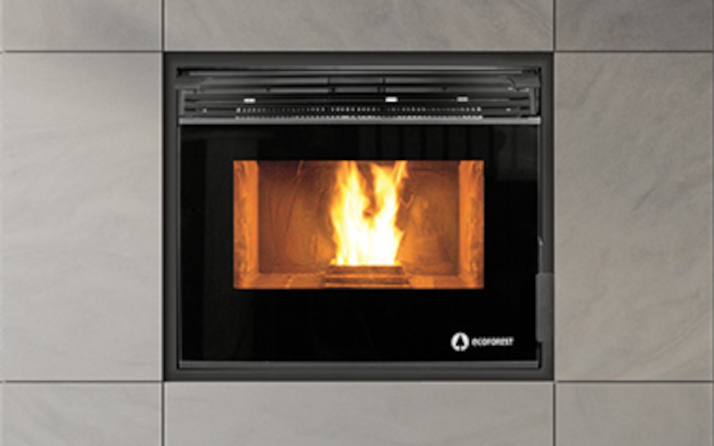 Insert pellet stoves
 Wood stoves
  Wood boilers
 Insert wood stoves
 Charcoal oven




Home automation has revolutionized the way we manage our homes, and pellet stoves are no exception. Integrating these heating systems with smart thermostats and home automation platforms makes it possible to optimize energy consumption, improve thermal comfort, and control the temperature from anywhere. In this article, we explore how Ecoforest pellet stoves integrate with modern home automation, what technologies are available, and how to get the most out of your heating system.
What is home automation for pellet stoves?
Home automation for heating involves automating and remotely controlling a home’s heating systems using smart devices. For pellet stoves, this includes:
- Remote control via WiFi: Turn the stove on or off and adjust the temperature from your smartphone.
- Advanced scheduling: Set operating periods to match your daily routines.
- Voice assistant integration: Compatibility with Google Home, Alexa, or Apple HomeKit.
- Real-time monitoring: Check pellet consumption, room temperature, and stove status.
- Sensor-based automation: Adjust the output according to the outdoor temperature or whether anyone is home.
Many Ecoforest pellet stoves come with WiFi technology as standard, making it easy to integrate them with home automation systems without additional external modules.
Levels of integration: from basic control to complete home automation

1. Local control with a digital thermostat
The most basic level of automation uses the stove’s built-in digital thermostat. All Ecoforest models let you set your desired temperature, and the stove automatically adjusts the pellet feed and fan speed to maintain it.
Advantages:
- No additional installation required
- Precise room temperature control
- Weekly scheduling with different operating periods
Recommended models:
- Miami: Ultra-compact stove with digital control and WiFi
- Monaco: One of the narrowest stoves on the market, with smart controls
2. WiFi control and remote management
The next level adds WiFi connectivity, allowing you to control the stove from anywhere through a mobile app. Ecoforest stoves with built-in WiFi offer:
- Remote on/off control
- Temperature and heat output adjustment
- Operating status checks
- Maintenance notifications
- Consumption history
Advantages:
- Full control from your smartphone
- Energy savings by turning on the stove only when needed
- Ideal for second homes or holiday properties
Featured models:
- Bolonia: Ducted stove with WiFi and temperature- or output-based control
- Tokio: Minimalist design with WiFi control and a versatile flue outlet
3. Complete home automation integration
The most advanced level integrates the pellet stove into a complete home automation ecosystem, where it interacts with other smart devices in the home:
- External smart thermostats: Temperature sensors in different rooms that automatically adjust the stove’s heat output.
- Voice assistants: Control using voice commands (“Alexa, turn on the stove”).
- Custom automations: For example, turning on the stove when the outdoor temperature drops below 10°C or when someone is detected at home.
- Ventilation system integration: Coordination with heat recovery units or mechanical ventilation systems.
Compatible protocols:
- Modbus RTU/TCP: An industrial protocol that enables communication with energy management systems.
- OpenTherm: A standard for communication between thermostats and heating systems.
- Native WiFi: All Ecoforest stoves with WiFi can connect to home networks.
Benefits of integrating your pellet stove with home automation
Significant energy savings
Smart controls allow you to:
- Reduce consumption by up to 30% by automatically adjusting heat output to actual needs.
- Prevent rooms from overheating.
- Take advantage of lower electricity rates when starting the stove.
Optimized thermal comfort
- A consistent, even temperature throughout the home.
- Scheduling tailored to your routine (turning the stove on before you get home).
- Independent control of different zones with ducted stoves.
Predictive maintenance
Connected stoves can:
- Notify you when the heat exchanger needs cleaning.
- Alert you when the pellet level in the hopper is low.
- Detect operating anomalies before they become faults.
Sustainability and consumption monitoring
- Real-time monitoring of pellet consumption.
- Usage statistics to optimize performance.
- A smaller carbon footprint through maximum efficiency.
Practical examples: automation scenarios
Scenario 1: Primary residence with a regular routine
Setup:
- Weekly schedule: on at 7:00 a.m. and off at 11:00 p.m.
- Comfort temperature: 21°C during the day, 18°C at night.
- Presence sensor integration: if no movement is detected for 2 hours, reduce heat output to the minimum.
Result: A 25% reduction in pellet consumption compared with continuous operation.
Scenario 2: Second home or weekend house
Setup:
- Remote control via WiFi: turn on the stove 2 hours before arrival.
- Mobile notification when the temperature reaches 20°C.
- Automatic shutdown if the owner’s WiFi connection is not detected for 24 hours.
Result: Immediate comfort on arrival and zero consumption when the property is empty.
Scenario 3: Home with a ducted stove
Setup:
- Ecoforest ducted stove with 3 air outlets.
- Independent thermostats in the living room, bedrooms, and hallway.
- Automation: prioritize heat in the living room during the day and in the bedrooms at night.
Result: Efficient heat distribution according to the needs of each zone.
Technical considerations for integration
Installation requirements
- Stable WiFi connection: Essential for remote control and firmware updates.
- Router location: Ensure good coverage where the stove is installed.
- Electrical compatibility: Check that the electrical installation can support the stove’s power requirements (generally between 100-300W).
Communication protocols
Ecoforest stoves primarily use:
- WiFi 2.4 GHz: For remote control via a mobile app.
- Modbus (optional): For integration with professional energy management systems.
Security and privacy
- Encrypted connection between the app and the stove.
- Regular security updates.
- Access control with a username and password.
Best practices for maximizing efficiency
Optimizing your schedule
- Plan ahead for heating: Schedule the stove to turn on 30-60 minutes before you need the heat.
- Make use of thermal inertia: In well-insulated homes, you can turn off the stove 30 minutes before leaving.
- Adjust for the weather: Lower the target temperature on sunny days.
Regular maintenance
- Clean the glass and ash pan weekly.
- Check the heat exchanger monthly (made easier by Ecoforest’s automatic cleaning system).
- Arrange annual professional maintenance to ensure optimal performance.
Using high-quality pellets
Always use ENplus A1 certified pellets to:
- Maximize energy efficiency.
- Reduce emissions and ash production.
- Extend the stove’s service life.
Conclusion: smart heating with Ecoforest
Integrating Ecoforest pellet stoves with home automation systems and smart thermostats represents the future of residential heating. It combines the sustainability of biomass with the efficiency of digital technology, offering complete control over thermal comfort and energy consumption.
Whether through built-in WiFi control, advanced scheduling, or full integration into a home automation ecosystem, Ecoforest stoves are designed to meet the needs of modern homes. With models ranging from the ultra-compact Miami to powerful ducted stoves, there is a smart solution for every type of home.
Ready to make the switch to smart heating? Explore the full range of Ecoforest pellet stoves and start enjoying the comfort, savings, and sustainability of home automation for biomass heating.
